
Create and manage your Meta ads by chatting
Connect your Meta ad account to Chatopya. Build the campaign, ad set and ad by typing to the assistant and preview the ad before it goes live. The AI monitors ad performance, points out problems and opportunities and suggests what to do. Budget changes and pausing or starting an ad are applied only once you approve them. Meta's own system handles delivery according to the campaign objective.
- 5Campaign objectives
- 2Platforms: Instagram and Facebook
- 0Lines of code
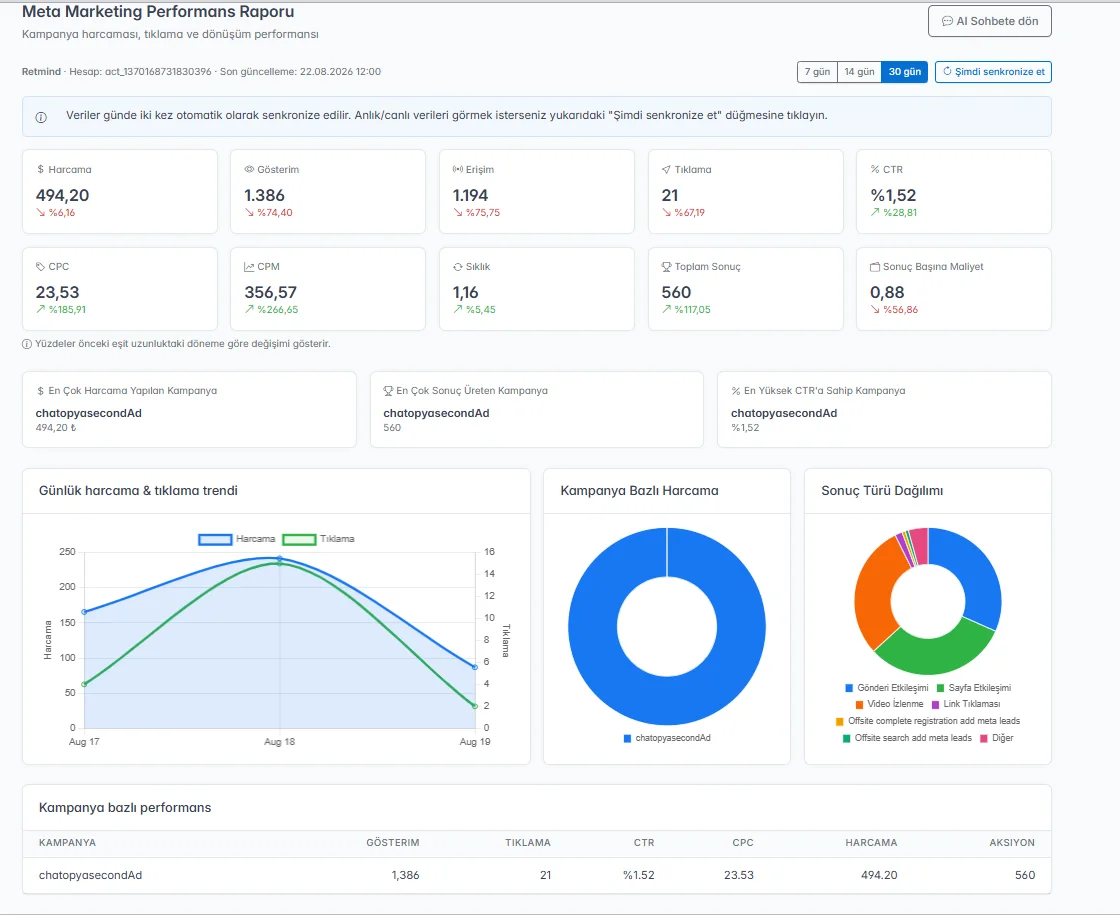
Ad management in a single chat screen
Instead of clicking through Ads Manager menus, type what you want. The assistant asks for whatever is missing and builds the campaign; the decisions stay with you.
Create ads by chatting
Type “create a new campaign”. The assistant asks for the objective, daily budget, age and gender targeting, ad copy and image one by one, then builds the campaign, ad set and ad for you.
Preview before launch
You see how the ad will look right in the chat while you build it. Use a single image or a carousel creative.
Meta ad account connection
You connect your ad account through Meta's own login screen (OAuth), so you never share a password.
Campaign, ad set and ad management
Create, update, pause or delete. Building lead forms and uploading videos also happens in the panel.
Budget at ad set level
You set the daily budget in TRY when you create the ad set and can change it later. No budget change is applied without your approval.
Pause and restart
Pause or restart a campaign with a sentence such as “pause this ad”.
A new campaign in a few sentences
When you say “create a new campaign”, the assistant asks for the campaign name, objective (awareness, traffic, engagement, leads or sales), daily budget, audience, ad copy, destination URL and image in turn. The campaign takes shape as you answer, and you see the ad preview right in the chat.
-
5 campaign objectives
Awareness, traffic, engagement, leads and sales; the ad set is built around the objective you choose.
-
Daily budget
You set the budget in TRY at ad set level; Meta paces spending against it.
-
Age, gender and audience
You give the age range, gender and audience details in the chat.
-
Image or carousel
Prepare and preview a single-image or carousel creative.
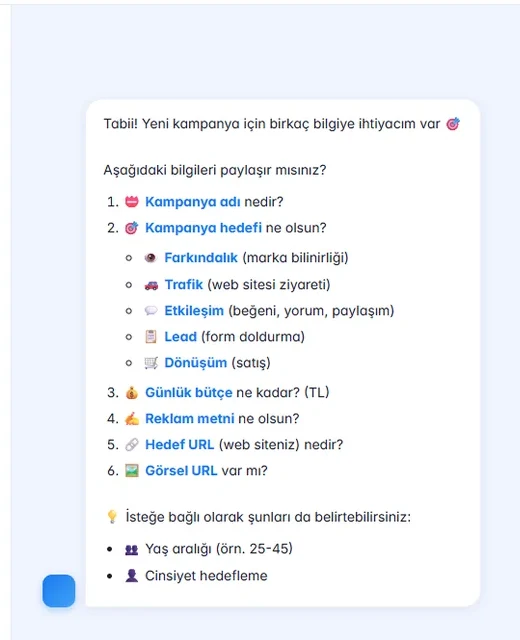
Read the report, let the AI explain it
The performance report covers spend, impressions, reach, clicks, CTR, CPC, CPM, frequency, results and cost per result. Each metric is compared with the previous period of the same length. Ask “how much did I spend this week?” in the chat and the assistant reads the report, explains it and suggests what you could do; you make the call.
-
Period-over-period trend
In the 7, 14 and 30-day views each metric is compared with the previous period.
-
Performance by campaign
Impressions, clicks, CTR, CPC, spend and results for each campaign in one table.
-
Questions in plain language
Questions like “how is my best campaign doing?” are answered with the data in the report.
-
Regular sync
Data is pulled from Meta automatically every day, and you can refresh it manually from the report screen.
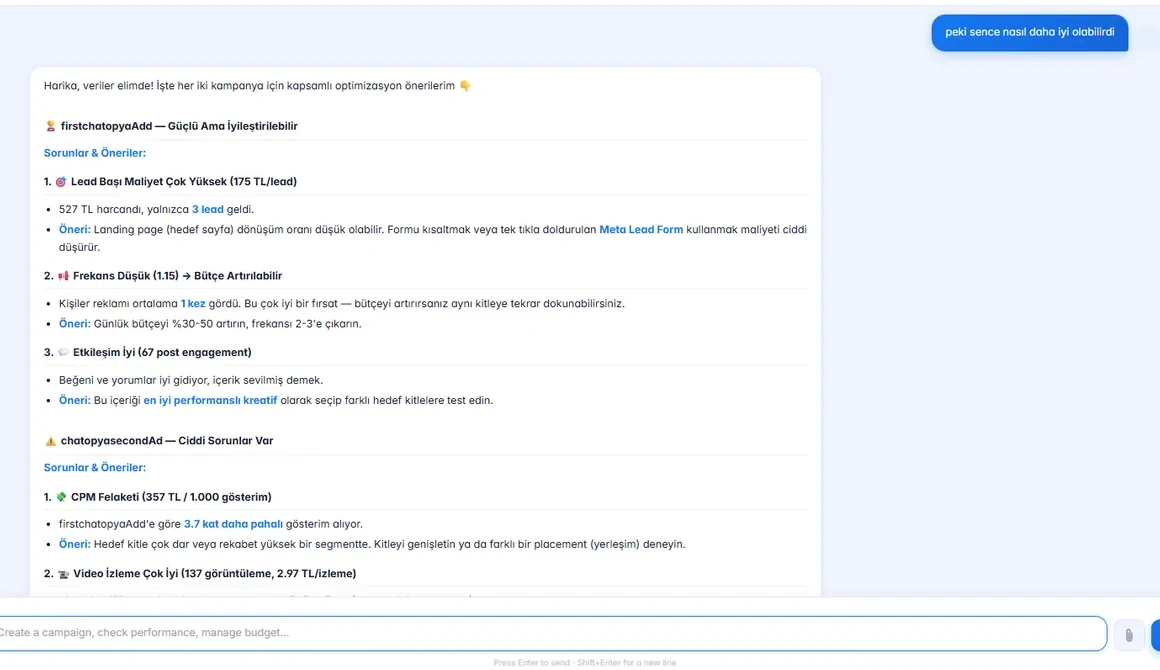
Ads on Instagram and Facebook
Feed and story ads on Instagram and Facebook and conversion-focused campaigns, all from one place.
Instagram Ads
Bring your visuals to your audience with feed and story ads.
Facebook Ads
Get seen on Facebook with awareness, traffic and engagement campaigns.
Conversion Ads
Run conversion campaigns for your website or a lead form; people who fill in the form are passed into Chatopya.
Quick actions in the chat screen
Get started in three steps
Connect your Meta ad account and build your first campaign together with the assistant.
Connect your ad account
Log in with your Meta account and pick your ad account; no code needed.
Build a campaign in the chat
Tell the assistant the objective, budget, audience and creative, then check the preview.
Follow the report
Track spend and results against the previous period; use the assistant’s explanation to update budgets and ads yourself.
How do I connect my Meta ad account?
In the Meta Marketing section of the Chatopya panel you log in with your Meta account and pick your ad account. The connection runs through Meta's own login screen (OAuth).
Which campaign objectives are supported?
Awareness, traffic, engagement, leads and sales. You name the objective in the chat and the ad set is built for it.
Can the AI change my budget without my approval?
No. The AI provides recommendations; actions such as increasing budget, pausing or activating a campaign are only applied once you approve them.
Which plan includes Meta ads management?
The Meta ads management module is part of the Business and Enterprise plans; there is no separate subscription for Instagram and Facebook. Your ad budget is paid directly to Meta.
How often is my performance data updated?
Data is pulled from Meta automatically every day, and you can refresh it manually from the report screen at any time.
Does the AI optimize my campaigns on its own?
Not on its own. The AI monitors ad performance, points out problems and opportunities and suggests what to do. Budget changes and pausing or starting an ad are applied only once you approve them. Meta's own system handles delivery according to the campaign objective.
Manage your Meta ads from one panel
In a 30-minute demo we connect your ad account and show you how to build your first campaign by chatting.