Manage your Instagram account from one panel
Answer DMs with AI, publish posts, Reels and stories from the panel, and track your reach and follower reports on the same screen. No more switching between your phone, a separate publishing tool and scattered reports.
- DMShared inbox
- 3Content types: Post, Reels, Story
- 28Days of reporting
Three separate tools to manage Instagram
DMs get lost on a phone
"How much is it?" and "Where is my order?" messages all land on a single phone; on busy days, the unanswered ones become lost sales.
Publishing happens somewhere else
Content is prepared in one tool and published from another app. With more than one account, confusion is inevitable.
Reports are scattered
Reach and follower data stays inside the app; you end up collecting screenshots to see what changed and when.
Messages, content and reports in one panel
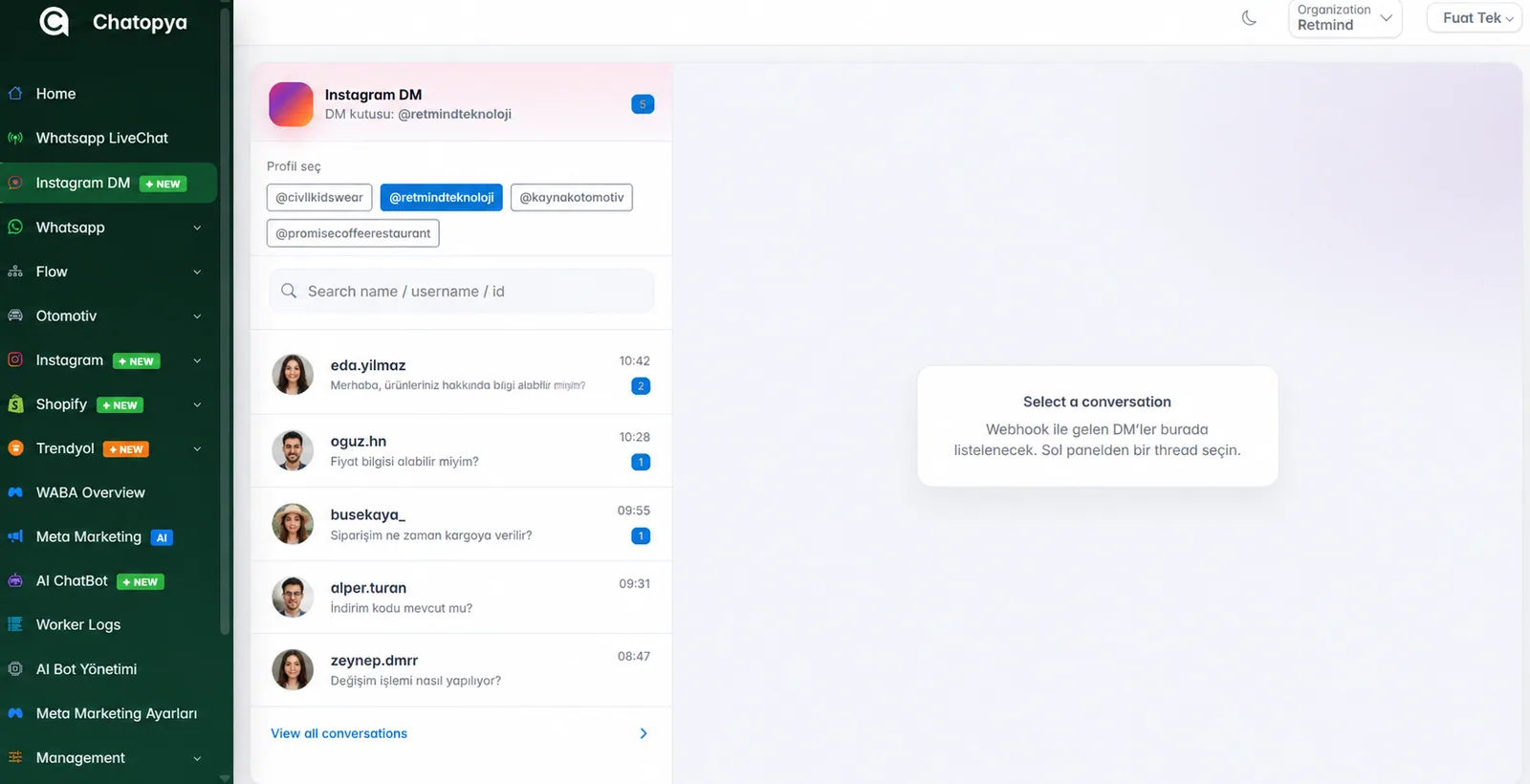
Instagram DMs in a shared inbox
Instagram Direct messages land in the same panel as your WhatsApp chats. The AI bot answers frequently asked questions; everything else is handed to your agent with its full history.
- Switch between multiple Instagram profiles in one click
- AI-powered automatic replies
- Search chats by username or name
Publish posts, Reels and stories
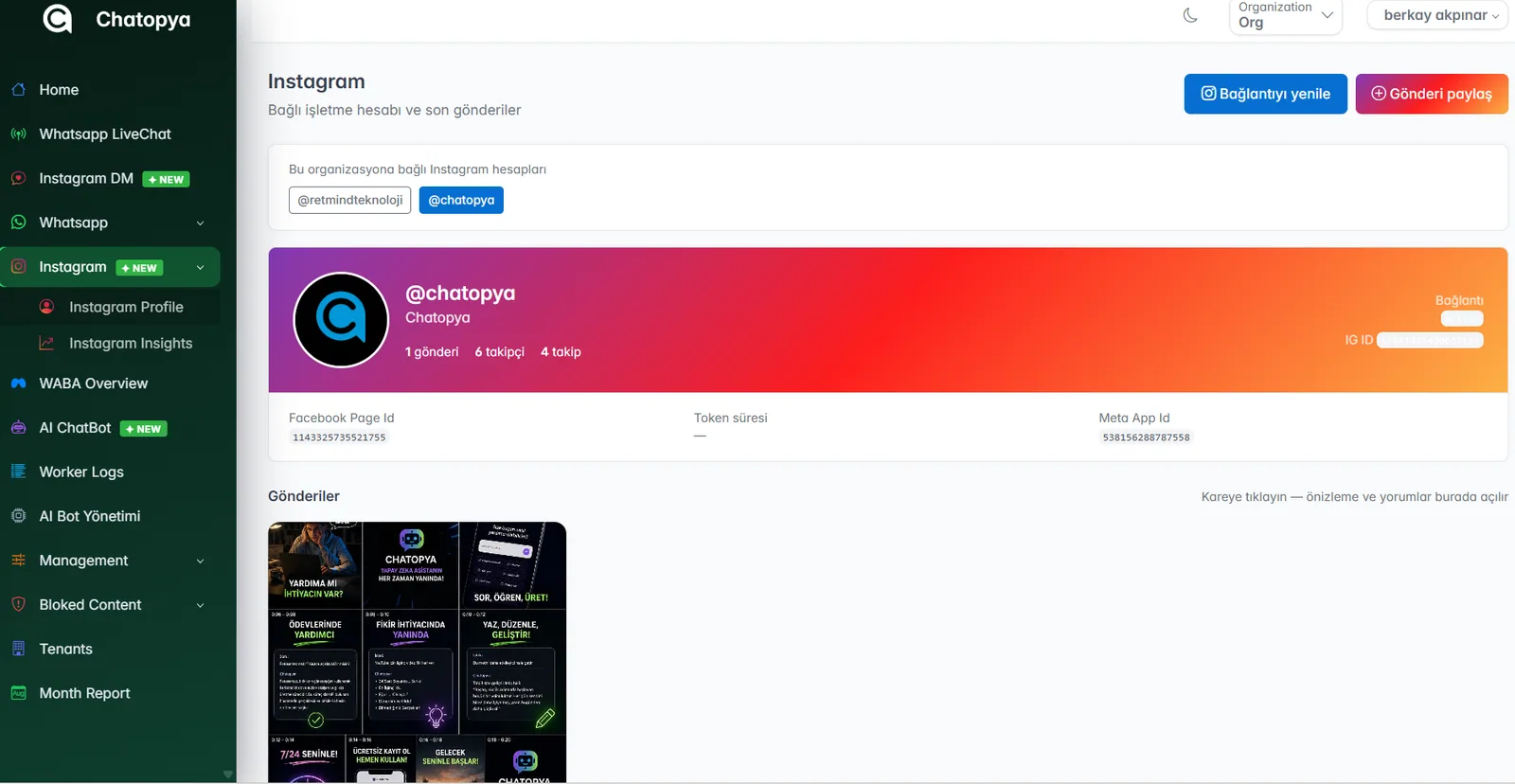
Publish your content straight from the Chatopya panel without opening the app. See the posts of all connected accounts on one screen and open each post's preview and comments in the same place.
- Post, Reels and story publishing
- Post grid and comments on one screen
- All accounts of your organization in one place
Reach and follower reports
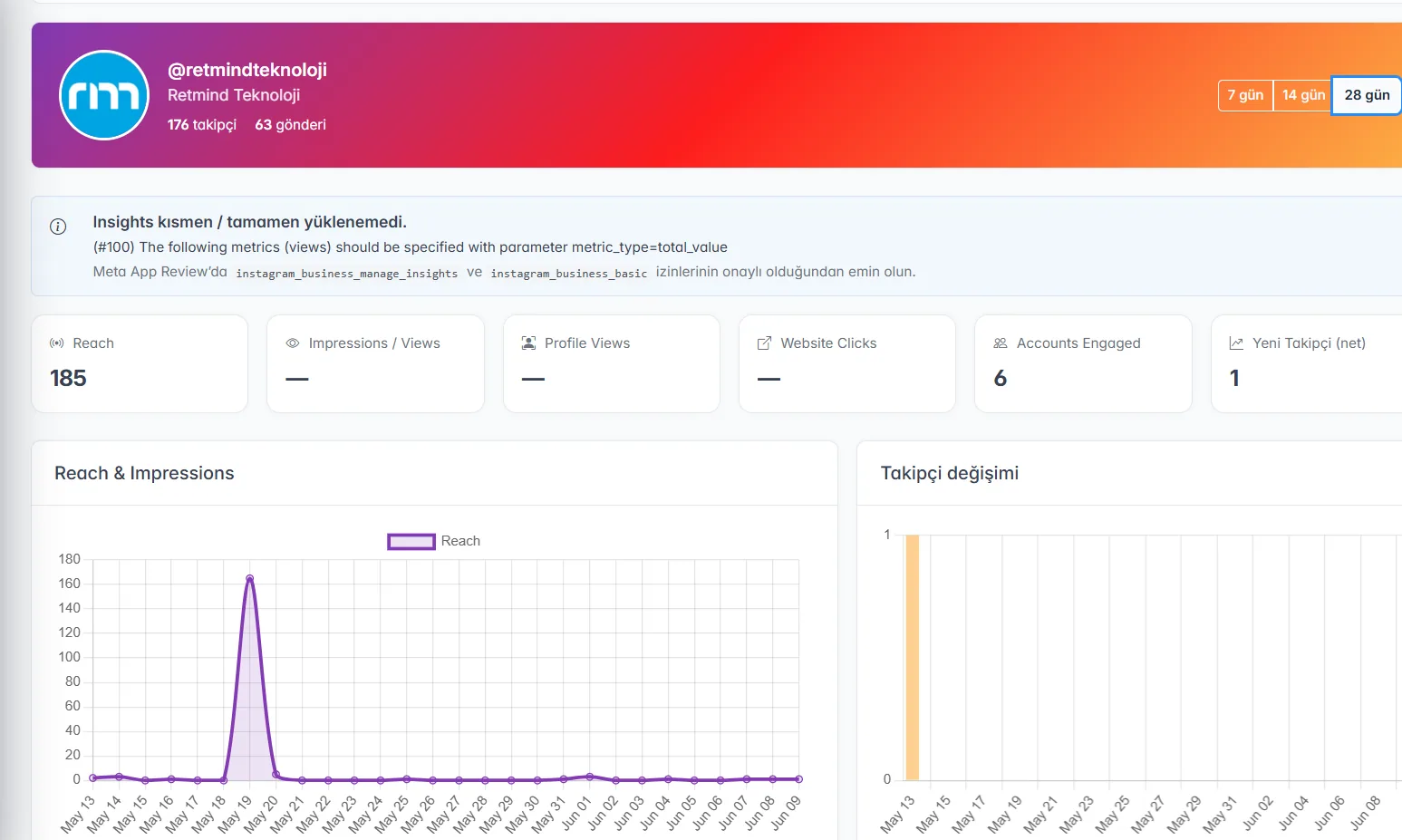
Track your account's performance without logging in to Instagram. Reach, profile views, website clicks and follower changes are compared period by period in charts.
- Reach, impressions and profile views
- Website clicks and accounts engaged
- 7, 14 and 28-day periods
What comes with Instagram management
DM inbox
Direct messages are distributed to your team, so no customer message is missed.
AI replies
Frequently asked questions are answered automatically, 24/7, from your own information.
Posts and Reels
Publish your photo and video content from the panel.
Story publishing
Share your campaigns and announcements as stories.
Comment tracking
See each post's comments alongside its preview in the panel.
Performance reports
Reach, profile views and follower changes in charts.
Get started in four steps
Connect your account
Add the Instagram business account linked to your Facebook page to Chatopya in a few clicks.
Set up the bot
Decide which questions the AI bot answers and when it hands over to an agent.
Publish your content
Publish posts, Reels and stories from the panel and follow comments in the same place.
Track the results
See which content works with reach and follower reports.
Frequently asked questions
Can't find what you're looking for? Write to our team and we'll get back to you the same day.
Ask a questionWhich Instagram accounts can I connect?
You can connect Instagram business accounts linked to a Facebook page. If you have a personal account, you can switch to a business account in the Instagram settings in a few minutes; we'll help you with this step.
Can I manage more than one Instagram account?
Yes. Multiple Instagram accounts can be connected to your organization; you switch between them in one click in the DM inbox, on the profile screen and in reports.
Can I also publish Reels and stories?
Yes. You can publish posts, Reels and stories directly from the Chatopya panel without switching to the Instagram app.
Can a bot reply to Instagram DMs?
Yes. The AI bot answers frequently asked questions from your own information. When a topic goes beyond the bot's scope, the chat is handed to an agent along with its history.
What data is included in the reports?
Reach, impressions, profile views, website clicks, accounts engaged and new followers. You can review the data in charts for 7, 14 or 28-day periods.
Can I manage Instagram ads here too?
Ad management is part of the Meta Marketing AI module. You can set up your Instagram and Facebook ads by chatting with the AI assistant and track their performance.
Let's connect your Instagram account together
In a 30-minute demo we'll show you the DM inbox, publishing and reports live.