
Manage WhatsApp and Instagram messages from one panel
Messages from WhatsApp, Instagram DM, Facebook Messenger, Telegram and the Web Chat window on your site land in a single inbox in Chatopya. The AI bot answers frequently asked questions; when it cannot, the conversation moves to your team together with its history.
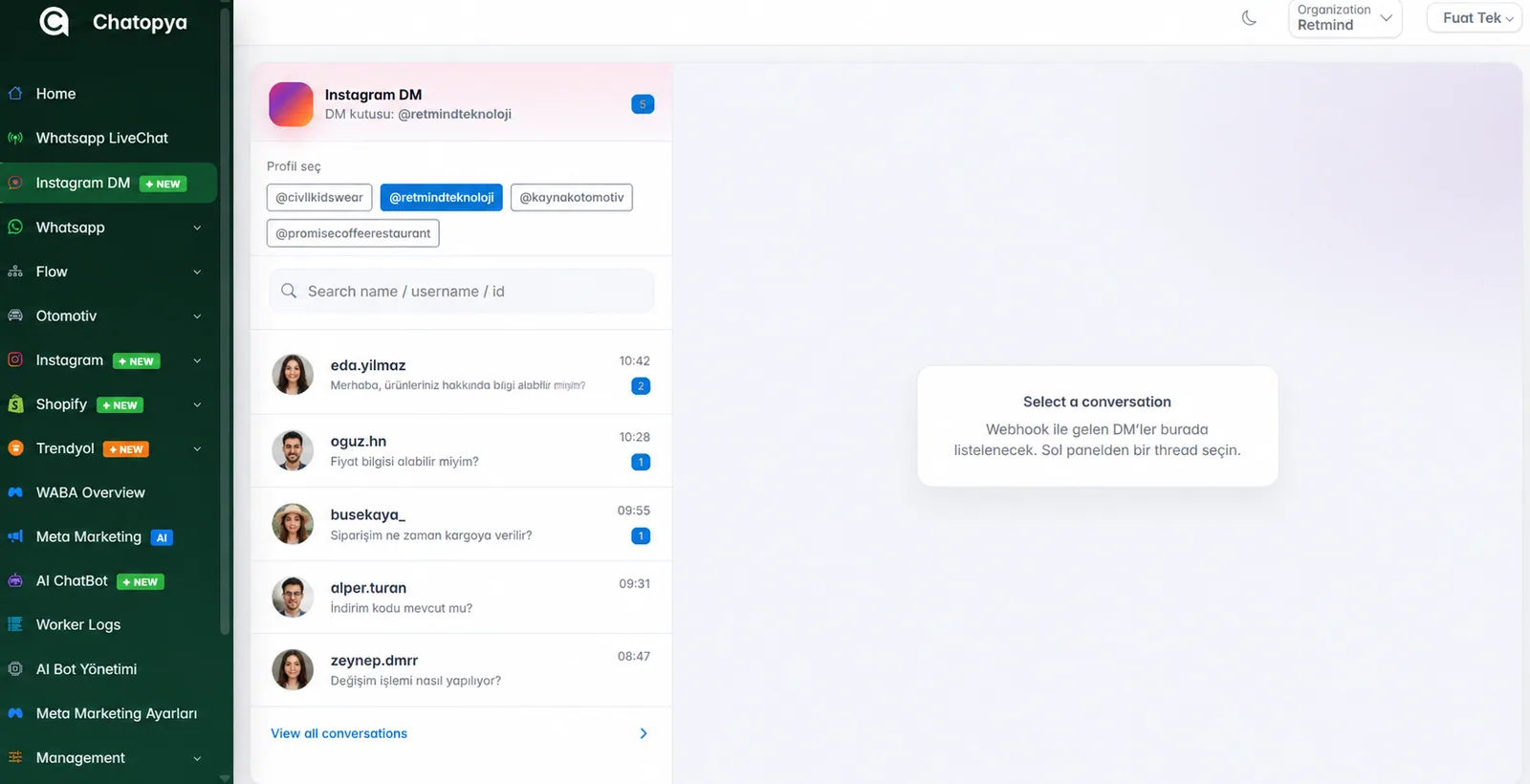
What is in the single inbox?
Five channels, one screen
WhatsApp, Instagram DM, Messenger, Telegram and Web Chat conversations are listed on the same Conversations screen.
AI gives the first answer
The bot answers from the information you add to Bot Center. If a question has no match in the knowledge base it does not make up an answer; it hands the conversation to an agent.
Assigning and taking over
You can assign a conversation to an agent, take it over, hand it back to the bot or close it.
Instagram management
Besides DMs, posting of posts, Reels and stories and reach and follower reports run from the same panel.
WhatsApp Business API
As a Meta-approved solution partner we handle application, number connection and template approval for you.
Broadcast messages
You can send segmented WhatsApp campaigns with approved templates to people who have given consent.
Get started in four steps
Connect your accounts
Add your WhatsApp number and the Instagram business account linked to your Facebook page to Chatopya.
Feed the bot with your information
Add frequently asked topics such as products, shipping and returns to Bot Center; you decide what the bot answers.
Add your team
Invite your agents and share conversations between them.
Follow everything from one screen
Follow conversations on all channels, with their history, on the same screen.
How does a sample conversation go?
A customer writes on Instagram: “Is this product in stock and how many days does shipping take?”
The message lands in the Chatopya inbox. The bot answers from the shipping information in its knowledge base. If the question is not in the knowledge base the bot does not invent an answer; it leaves the conversation to your agent, who continues with the full history. If the customer continues on WhatsApp later, that conversation is in the same panel too.
Limits you should know
- On WhatsApp you can reply freely within 24 hours after the user writes; after the window closes only Meta-approved template messages can be sent.
- On Instagram only business accounts linked to a Facebook page can be connected.
- The bot only answers from the information you add; out-of-scope questions go to an agent.
- Pricing has two items: Chatopya's monthly package fee and Meta's per-message fee.
Frequently asked questions
Can't find what you're looking for? Write to our team and we'll get back to you the same day.
Ask a questionWhich channels are collected in the single inbox?
WhatsApp, Instagram DM, Facebook Messenger, Telegram and the Web Chat window you add to your site. All appear on the same Conversations screen.
At which stage does the AI step in?
When a message arrives the bot answers from the information in Bot Center. If it finds no match it does not make up an answer and leaves the conversation to an agent. You set its behavior outside business hours in the settings.
When does it switch to a human agent?
When the bot meets an out-of-scope question or when your agent takes the conversation over. The agent sees the entire exchange.
Can I use my existing WhatsApp number?
Yes. Once the number is moved to the API, the WhatsApp Business app on the phone is closed for that number and all chats run from the Chatopya panel. Past chats are not migrated.
What does pricing include?
There are two items: Chatopya's monthly package fee and Meta's per-message fee for WhatsApp messages. Current packages are on the pricing page.
Let's connect your channels together
In a 30-minute demo we show the inbox, the bot and the handover flow live.